Should You Edit a Book Before or After Formatting? The Correct Publishing Order

Introduction
Finishing a manuscript is a major milestone, but it is not the final step before publication. Authors still need to move through editing, formatting, proofreading, and final production checks.
One common question is whether a book should be edited before or after formatting.
The order matters because editing can involve rewriting sentences, deleting paragraphs, moving sections, adding new material, correcting inconsistencies, and sometimes restructuring entire chapters. If a book is fully formatted before those changes are complete, much of the layout work may need to be repeated.
For most books, the best approach is to complete the main editing stages first, format the manuscript afterward, and then proofread the formatted book before publication.
Understanding this sequence can save time, reduce production costs, and prevent avoidable mistakes in the final print or eBook edition.
Should You Edit a Book Before or After Formatting? The Short Answer
In most cases, you should edit your book before formatting it.
The manuscript should normally go through its major editorial stages—including developmental editing where necessary, line editing, and copyediting—before the final interior layout is created.
Formatting should begin only when the text is substantially complete and stable.
The usual publishing sequence is:
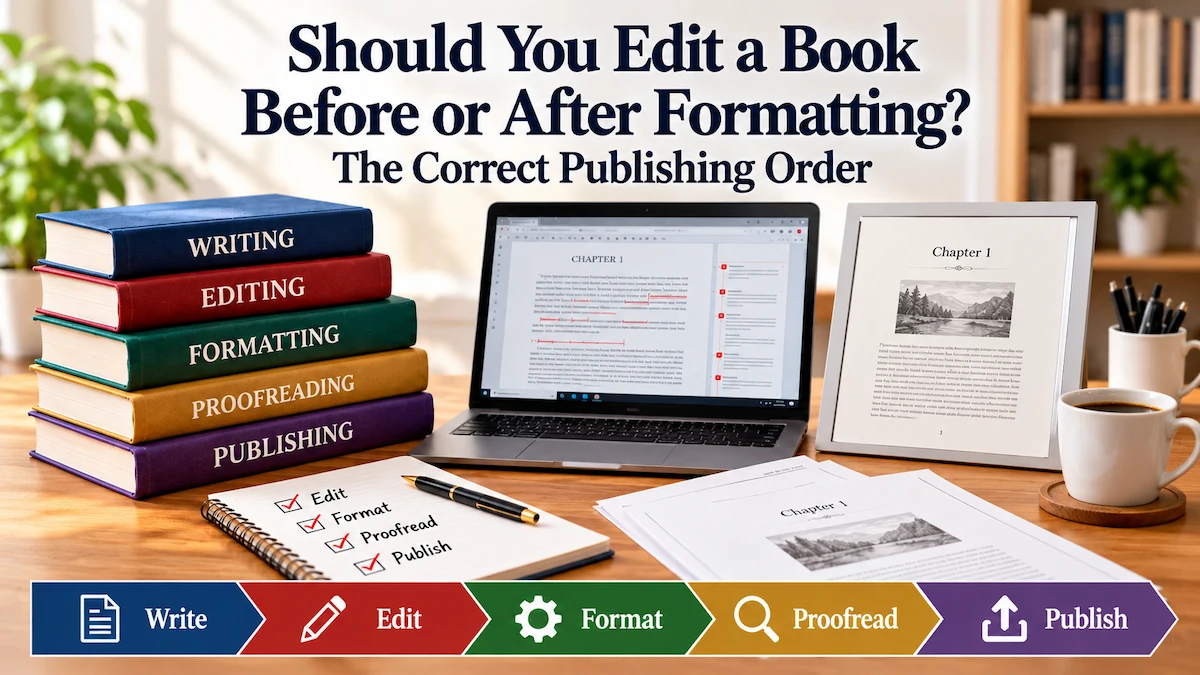
Writing → Revision → Editing → Formatting → Proofreading → Final Corrections → Publishing
There is one important distinction.
Although the main editing work should happen before formatting, final proofreading is usually most effective after the book has been formatted. At that stage, the proofreader can catch not only remaining text errors but also problems introduced during layout, such as incorrect page breaks, inconsistent headings, awkward spacing, misplaced images, missing page numbers, or table-of-contents errors.
So the simplest rule is:
Edit the manuscript before formatting. Proofread the formatted book before publishing.
Why Editing Should Usually Come Before Formatting
Editing often changes the physical structure of a manuscript.
An editor may recommend removing unnecessary passages, rewriting unclear sentences, adding explanations, rearranging chapters, correcting references, changing headings, or combining sections. Even relatively small editorial changes can affect page length and paragraph flow.
If the book has already been professionally formatted, those changes can disturb the layout.
Deleting a paragraph may cause text from the next page to move backward. Adding a new section may push later pages forward. Changing a chapter title can affect the table of contents. Moving an image may alter surrounding text, page breaks, captions, and numbering.
The formatter may then need to repair work that was already completed.
Editing first also allows the editor to concentrate on the quality of the manuscript without being distracted by decorative layout decisions. At this stage, the priorities are clarity, accuracy, consistency, structure, grammar, style, and readability.
Once the text is stable, the formatter or book designer can work with much greater confidence because major content changes are unlikely.
The result is a cleaner production process:
The editor improves the words first. The formatter then presents those words professionally.
This matters especially when professional services are paid for separately. Extensive editing after formatting can lead to additional layout revisions and unnecessary cost.
The Correct Book Publishing Order
A smooth publishing process usually follows a clear sequence. Although some projects may require small adjustments, the following order works well for most self-published books.
1. Finish the Manuscript
Before professional editing begins, the manuscript should be as complete as possible.
The main chapters, sections, references, front matter, and other core content should already exist in draft form. The manuscript does not need to be perfect, but it should be complete enough for an editor to evaluate it as a whole.
Starting professional editing too early can create unnecessary work if large sections are still being added, removed, or rewritten.
2. Self-Edit and Revise
Before sending the manuscript to an editor, read through it yourself and make obvious improvements.
Look for:
- repetition,
- unclear sentences,
- missing information,
- weak transitions,
- inconsistent terminology,
- unnecessary sections,
- and basic grammar or spelling problems.
Self-editing does not replace professional editing, but it helps the editor focus on higher-value issues instead of spending time correcting problems you could easily fix yourself.
3. Complete Developmental and Line Editing
Developmental editing looks at the book on a larger scale.
Depending on the type of book, this may include:
- overall structure,
- chapter organization,
- argument flow,
- clarity of ideas,
- character or plot development,
- missing information,
- and whether the book achieves its intended purpose.
Line editing works more closely at sentence and paragraph level. It improves clarity, flow, tone, style, and readability.
These stages should usually happen before formatting because they can lead to significant changes in the manuscript.
4. Complete Copyediting
Once the structure and language are stable, copyediting focuses on accuracy and consistency.
A copyeditor may correct:
- grammar,
- spelling,
- punctuation,
- capitalization,
- word usage,
- style inconsistencies,
- number formatting,
- cross-references,
- and other technical language issues.
At the end of copyediting, the manuscript should be very close to its final wording.
This is the ideal point to move into formatting and typesetting.
5. Format and Typeset the Book
Formatting turns the edited manuscript into a professionally presented book.
For print books, this may include:
- trim size and margins,
- font selection,
- paragraph spacing,
- chapter openings,
- headers and footers,
- page numbers,
- tables and figures,
- image placement,
- and the table of contents.
For eBooks, formatting also involves creating a layout that works properly across different screen sizes and reading devices.
Because the text is now largely stable, the formatter can build the final layout without constantly having to repair changes caused by ongoing editing.
6. Proofread the Formatted Book
Proofreading should normally take place after formatting.
This final review checks both the text and the layout.
A proofreader may look for:
- remaining spelling or punctuation errors,
- missing words,
- incorrect page numbers,
- bad page breaks,
- inconsistent headings,
- awkward spacing,
- misplaced images or captions,
- table-of-contents errors,
- and other problems introduced during formatting.
For a print book, review the final PDF carefully and, where practical, inspect a physical proof copy before approving the book for sale.
7. Make Final Corrections and Publish
After proofreading, correct the final errors and check the revised files again.
At this stage, changes should be small and controlled. Major rewriting should generally be avoided because it can create new layout problems and introduce fresh errors.
Once the files have passed the final check, the book is ready for upload to the chosen publishing and distribution platforms.
The complete workflow is:
Finish Manuscript → Self-Edit → Developmental/Line Edit → Copyedit → Format → Proofread → Final Corrections → Publish
What Happens If You Format a Book Before Editing?
Formatting a book too early can create unnecessary work.
If the manuscript still needs substantial editing, even small changes can affect the layout. A paragraph added near the beginning of a chapter can push later text onto different pages. Removing a section can pull content backward. Changing headings can alter the table of contents. Moving figures or tables can affect page breaks, captions, and references.
This can lead to:
- repeated formatting work,
- extra revision costs,
- new layout errors,
- incorrect page references,
- outdated tables of contents,
- misplaced figures or captions,
- and inconsistent spacing or pagination.
The risk is greater when the manuscript contains many tables, images, footnotes, references, or complex headings.
Formatting before editing is not always disastrous, especially if the remaining changes are very small, but it is generally inefficient.
The safer approach is to make the text stable first and design the final layout afterward.
Should Proofreading Happen Before or After Formatting?
Final proofreading should usually happen after formatting, because the proofreader needs to review the book in the form readers are likely to see it.
This is different from copyediting.
Copyediting focuses mainly on the correctness and consistency of the manuscript before final layout. Proofreading is the final quality-control stage after the text has been formatted.
A post-formatting proofread can catch problems such as:
- incorrect page breaks,
- widows and orphans,
- inconsistent chapter headings,
- missing page numbers,
- misaligned tables,
- poor image placement,
- broken captions,
- incorrect headers or footers,
- table-of-contents errors,
- and text accidentally omitted during layout.
For this reason, proofreading only the Word manuscript and skipping the formatted proof is risky.
A good workflow is:
Copyedit the manuscript first → Format the book → Proofread the formatted version → Correct final errors → Publish.
For print books, the final PDF should always be checked carefully. If possible, reviewing a physical proof copy can reveal issues that are easier to notice on paper than on screen.
For eBooks, preview the final file on different screen sizes or devices because headings, images, spacing, and page-flow behavior can vary by reader or app.
Book Editing vs. Book Formatting: What Is the Difference?
Editing and formatting are related parts of book production, but they solve different problems.
Editing improves the content and language of the manuscript. Formatting improves the presentation and layout of that content.
| Editing | Formatting |
|---|---|
| Improves clarity, structure, grammar, and style | Controls how the book looks on the page or screen |
| May involve rewriting or reorganizing text | Usually works with text that is already stable |
| Can change chapter length and paragraph flow | Controls margins, fonts, spacing, headings, and page layout |
| Focuses on the quality of the manuscript | Focuses on readability and professional presentation |
| Usually comes before formatting | Usually comes after major editing is complete |
Editing answers questions such as:
- Is this chapter clear?
- Does the argument make sense?
- Is the language correct and consistent?
- Should this paragraph be rewritten or moved?
Formatting answers different questions:
- What trim size should the book use?
- How wide should the margins be?
- Which fonts should be used?
- How should chapter openings appear?
- Where should page numbers, headers, images, and tables be placed?
Because editing can substantially change the text, it makes sense to complete it first. Otherwise, the formatter may have to rebuild parts of the layout after every major revision.
Does the Order Change for eBooks and Print Books?
The general publishing order is similar for both print books and eBooks:
Edit first → Format second → Proofread the final version → Publish.
However, the formatting stage is different because print books and eBooks behave differently.
A print book has a fixed layout. Each page has a defined size, and elements such as margins, page numbers, headers, footers, images, tables, and chapter openings must be positioned carefully.
That makes late-stage editing especially disruptive. Adding or deleting text can change pagination throughout the book and may affect the table of contents, image placement, cross-references, and chapter openings.
An eBook is usually reflowable. The reader can often change the font size, screen orientation, and display settings. This means the text does not stay on fixed pages in the same way as a printed book.
Even so, editing should still happen first.
Late content changes can affect:
- heading structure,
- navigation links,
- table-of-contents links,
- image placement,
- lists,
- footnotes or endnotes,
- and other eBook formatting elements.
The final eBook file should therefore be previewed after formatting to confirm that the content displays properly on different devices and screen sizes.
If a book is being released in both print and eBook formats, the most efficient approach is usually to finalize the edited manuscript first and then create the separate print and eBook files from that stable source text.
If you are also planning print distribution through more than one platform, our guide to KDP Expanded Distribution vs. IngramSpark explains how those distribution options differ.
When Can Formatting Begin Before Editing Is Completely Finished?
Although the safest workflow is to finish editing before formatting, limited design work can sometimes begin earlier.
For example, a formatter or book designer may prepare a sample layout before the manuscript is fully edited. This can help the author choose:
- trim size,
- font styles,
- chapter-heading design,
- margin settings,
- paragraph styles,
- and general page appearance.
This preliminary design work is different from fully formatting the entire book.
It can be useful when the author wants to approve the visual direction early, but the final interior should still be built from the stable, edited manuscript.
Formatting can also begin early when only a very small, clearly defined section of the book is still being finalized. For example, the main chapters may already be complete while the author is waiting for a foreword, acknowledgments page, index, or another short front- or back-matter section.
The important question is whether the remaining changes are likely to affect the main body of the book.
If major rewriting, restructuring, or chapter changes are still expected, full formatting should usually wait.
A useful rule is:
Preliminary design can begin early, but final formatting should begin only when the manuscript is stable.
Common Publishing Workflow Mistakes to Avoid
A professional publishing workflow becomes much easier when each stage is completed in the correct order.
Common mistakes include:
- Formatting a manuscript before major editing is complete. This often leads to repeated layout work.
- Confusing copyediting with proofreading. Copyediting normally happens before formatting, while final proofreading usually happens after formatting.
- Making major content changes after typesetting. Late rewriting can create new page-break, numbering, and layout problems.
- Skipping the formatted proof. A clean Word manuscript does not guarantee that the final PDF or eBook file is free from layout errors.
- Approving a print book without checking the final PDF carefully. Problems with margins, page numbers, images, headers, or blank pages may only become obvious in the formatted file.
- Assuming the print and eBook files will behave identically. Each format should be checked separately because fixed-layout print pages and reflowable eBooks have different requirements.
- Allowing several people to edit different versions of the manuscript. This can create conflicting files and make it unclear which version is final.
- Failing to keep a final master manuscript. The author should always know which file contains the approved text used to produce the final editions.
A simple way to avoid confusion is to clearly label the manuscript once editing is complete and treat that version as the source for formatting.
After formatting, only essential corrections should be made, followed by one final check before publication.
Frequently Asked Questions
Should I edit my manuscript before formatting it?
Yes. In most cases, the manuscript should go through its main editing stages before final formatting begins.
Editing can change the wording, structure, chapter length, headings, and paragraph flow. If the book is already formatted, those changes may force the formatter to redo part of the layout.
The usual order is:
Edit first → Format second → Proofread the formatted book → Publish.
Should proofreading happen before or after book formatting?
Final proofreading should usually happen after formatting.
This allows the proofreader to check not only remaining language errors but also layout problems such as page breaks, headings, page numbers, image placement, captions, tables, and spacing.
Can I format my book myself before hiring an editor?
You can, but it is usually better not to fully format the book before professional editing is complete.
If you want to experiment with trim size, fonts, or sample chapter styles, that is fine. However, the final interior layout should normally wait until the manuscript is stable.
What comes first: editing, proofreading, or formatting?
For most books, the sequence is:
Editing → Formatting → Proofreading
Editing improves the manuscript itself. Formatting creates the final layout. Proofreading then checks the formatted book for any remaining text or layout errors before publication.
Do I need to proofread again after formatting?
Yes. Even a carefully edited manuscript should be checked again after formatting.
The formatting process can introduce problems such as incorrect page breaks, missing text, misaligned images, inconsistent headings, incorrect page numbers, and table-of-contents errors.
That final proofread is one of the most important quality-control stages before publishing.
Can formatting change after proofreading?
Yes, but changes should be kept as small as possible.
If a proofreader finds errors, the formatter may need to make corrections. After those corrections are made, the affected pages or the entire final file should be checked again.
Major rewriting after proofreading is risky because it can create new layout problems and introduce fresh errors.
What is the final step before publishing a book?
The final step should be a complete quality check of the finished files.
For a print book, this usually means reviewing the final PDF carefully and, where possible, checking a physical proof copy.
For an eBook, preview the final file on different devices or screen sizes to make sure the formatting, navigation, images, and headings display correctly.
Once those checks are complete and any remaining errors have been corrected, the book is ready for publication.
Need Help Preparing Your Book for Publication?
Preparing a book professionally involves more than simply uploading a manuscript to a publishing platform.
The manuscript needs to move through the right stages in the right order: editing, formatting, proofreading, final corrections, and publication.
AB Publisher LLC provides professional support for authors who want help preparing their books for print and digital publication.
Our services include editing, book formatting and design, eBook preparation, publishing support, audiobook production, multilingual publishing, and wider distribution assistance.
Need help preparing your manuscript for publication? Visit our Services page to explore our publishing services, or Contact us to discuss your book project.